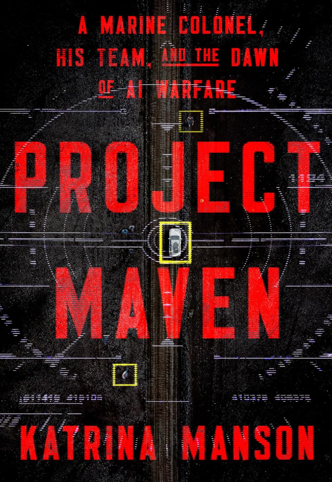


How to Subscribe to RSS Feeds with Internet Explorer 7
Internet Explorer comes with a built-in feedreader. Anytime you see the little orange RSS feed button  on the toolbar light up, you know the site has a feed. Watch this 30 second video to see how to subscribe to a single feed using Internet Explore 7.0's built-in feedreader.
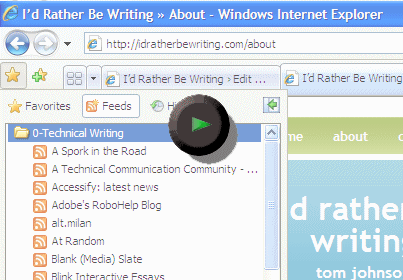
You can also import a collection of feeds all at once. A feed collection is stored in an OPML file. Right-click this OPML file and save it to your desktop, and then watch this video for instructions on importing it into IE7's feedreader.

Note for Bloggers
IE7's feedreader autodiscovers your site's feed. In WordPress, your header. php files has the autodiscovery code for your site's feed. If you use Feedburner to syndicate your feed, you must change the autodiscovery links in your header.php file, or else IE7 won't pick up your FeedBurner feed.
In your header file (under Presentation > Theme Editor), look for this:
<link rel="alternate" type="application/rss+xml" title="RSS 2.0" href="<?php bloginfo('rss2_url'); ?>" />
<link rel="alternate" type="text/xml" title="RSS .92" href="<?php bloginfo('rss_url'); ?>" />
<link rel="alternate" type="application/atom+xml" title="Atom 0.3" href="<?php bloginfo('atom_url'); ?>" />
Change the text in red to your feedburner feed. For example, the following code shows the insertion of my FeedBurner feed:
<link rel="alternate" type="application/rss+xml" title="RSS 2.0" href="http://feeds.feedburner.com/tomjohnson" />
<link rel="alternate" type="text/xml" title="RSS .92" href="http://feeds.feedburner.com/tomjohnson" />
<link rel="alternate" type="application/atom+xml" title="Atom 0.3" href="http://feeds.feedburner.com/tomjohnson" />
Sponsored
Why Use FeedBurner?
FeedBurner provides several benefits:
- You can see how many people are subscribed to your feed (the main benefit).
- You can provide your feed in multiple formats (both RSS and Atom).
- You can get a little reader chiclet to show off how many readers are subscribed.
- You can offer e-mail notification of your posts.
- You can track site stats.
FeedBurner has a number of other services and features, and most are free.
Note: This WordPress FeedBurner plugin is supposed to automatically reroute your feed through Feedburner, but I noticed that the rerouting didn't work with the IE7 feedreader. Still, it's definitely worthwhile to add this plugin.
<?php bloginfo('rss2_url'); ?>
About Tom Johnson

I'm an API technical writer based in the Seattle area. On this blog, I write about topics related to technical writing and communication — such as software documentation, API documentation, AI, information architecture, content strategy, writing processes, plain language, tech comm careers, and more. Check out my API documentation course if you're looking for more info about documenting APIs. Or see my posts on AI and AI course section for more on the latest in AI and tech comm.
If you're a technical writer and want to keep on top of the latest trends in the tech comm, be sure to subscribe to email updates below. You can also learn more about me or contact me. Finally, note that the opinions I express on my blog are my own points of view, not that of my employer.