


Using Ajax Shelf to Help Users Find Pages on Suncoast Site
I've been experimenting with an "Ajax shelf" to help users find pages better on the Suncoast chapter site. The Ajax shelf is like a web component that slides up and down when you click a button. I think it's pretty cool. Here's an example:
Shelf is hidden:
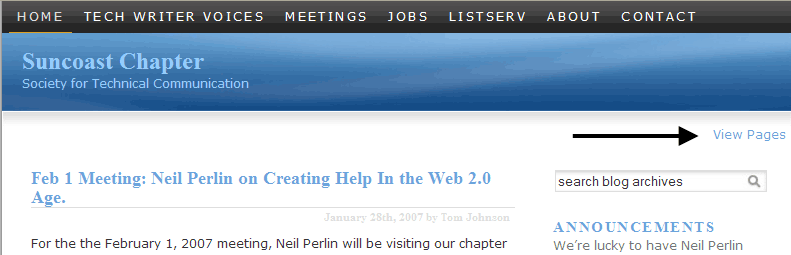
When the user clicks the View Pages link, the shelf expands:
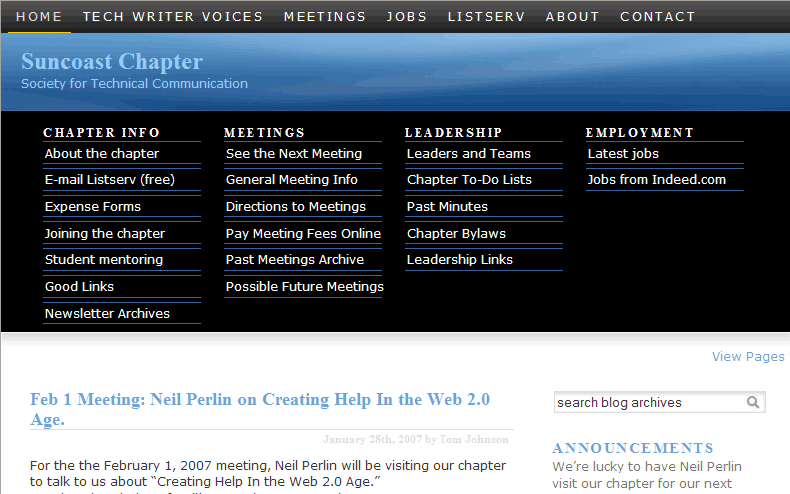
When the shelf expands, it has the effect of sliding down. When you click the View Pages link again, the shelf slides back up.
I've decided to store all my pages on the Ajax shelf. Because I'm using the Suncoast chapter site as a little CMS, I'm hoping that this way of organizing the pages will make it easier for users to find information.
I'm still tweaking the Suncoast site, but what do you think of the Ajax shelf part?
The theme I am using has the Ajax shelf functionality, but you can apparently add a shelf to your blog manually by following this tutorial. (I haven't tried the tutorial.)
Ajax, by the way, is just javascript, and stands for Asynchronous JavaScript and XML. Keith Hoffman wrote more about Ajax in his Intercom article on Web 2.0. Hoffman mostly talks about the collaboration functionality that AJAX provides with online word processing programs. He says Ajax allows multiple authors to simultaneously work on a document and have each person's changes saved instantaneously. So Ajax has many different applications — the shelf is just one.
About Tom Johnson

I'm an API technical writer based in the Seattle area. On this blog, I write about topics related to technical writing and communication — such as software documentation, API documentation, AI, information architecture, content strategy, writing processes, plain language, tech comm careers, and more. Check out my API documentation course if you're looking for more info about documenting APIs. Or see my posts on AI and AI course section for more on the latest in AI and tech comm.
If you're a technical writer and want to keep on top of the latest trends in the tech comm, be sure to subscribe to email updates below. You can also learn more about me or contact me. Finally, note that the opinions I express on my blog are my own points of view, not that of my employer.